Enhanced Verilog Support & Stability: GSoC 2025 Final Report
Hello Everyone😊,
Welcome to my final blog for Google Summer of Code 2025 for the project Enhanced Verilog Support & Stability
What is the Project about🖥
Enhanced Verilog Support & Stability: The project works on the Verilog feature of CircuitVerse namely Circuit to Verilog and Verilog to Ciruit and its stability. The project works on taking the verilog feature to production, adding verilog modules for the circuit elements and removing bugs in the feature. The project also introduces new features like Verilog terminal, play/pause button to the simulator, improves the UI/UX of the verilog code-editor, updates the yosys repo, fixes bug ,implements full screen view for tools window and documents the verilog feature.
New features that have been added and merged include:
- Verilog modules for circuit elements
- Play/Pause button in the simulator
- Improved UI/UX for code editor
- Verilog terminal
- Resizable & draggable view of tools window
- Yosys Upgrade
Version confusion
CircuitVerse had implemented the versioning system to avoid merging big changes to the simulator directly. This resulted in the formation of V0/, V1/ and SRC/ folders in the vue-simulator. Currently the V0 folder is default source but it can be changed by altering the configuration files. My changes were made and merged into the V1/ folder. In future all these folders will be in sync and users can change between the verisons easily.
The Verilog feature in CircuitVerse includes
- Circuit to Verilog - allows users to convert circuit to verilog code
- Verilog to Circuit - allows users to convert verilog code to circuits
Adding the Verilog Modules for Circuit Elements
CircuitVerse can generate Verilog for circuits designed in the simulator. The moduleVerilog() function generates Verilog modules for circuit elements. Some elements (listed below) were missing these modules, causing calls to undefined Verilog functions. The first week focused on adding the missing Verilog modules.
The Verilog Module for the following Circuit elements were added:
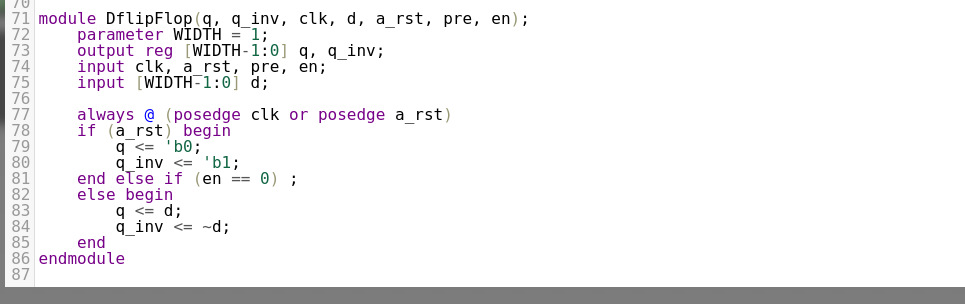
- SR Flip Flops
- JK Flip Flops
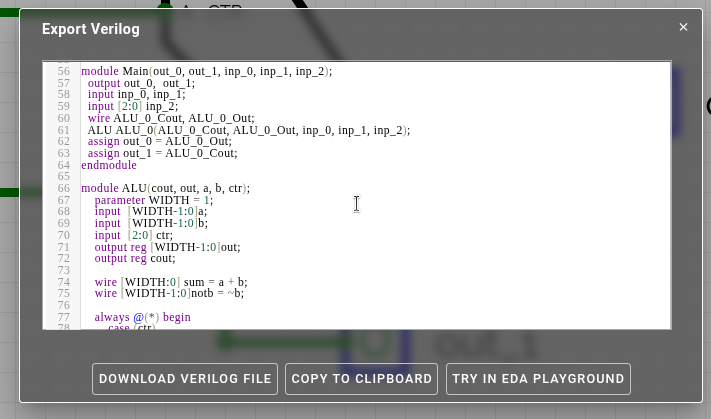
- ALU
- D-Latch
- ForceGate
- LSB
- MSB
- TestBench element
Checkout the Below Video for before and after fix
In total 8 verilog modules were added, some of them are displayed below :
Bugs which were fixed in the Verilog Modules
- Wrong and incomplete verilog code for adder , the adder
- Undefined parameters in the Flip Flops
- Missing bitwidth support in some elements
- Inconsistent verilog logic
- SR flip flop wrong logic
Yosys upgrade and migration
Yosysdigitaljs-server created by Marek Materzok is the technology behind the feature that allows users to convert Verilog code into circuits in the simulator.
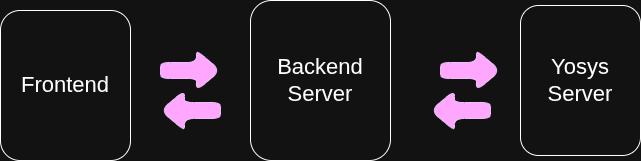
The Circuitverse Yosys forked repo is behind its parent by some 39 PRs, the parent repo had been migrated from js to ts and even the folder structure has been changed.These changes include the server file to receive the request from circuitverse backend, docker file and other configuartion and minor changes from CircuitVerse.
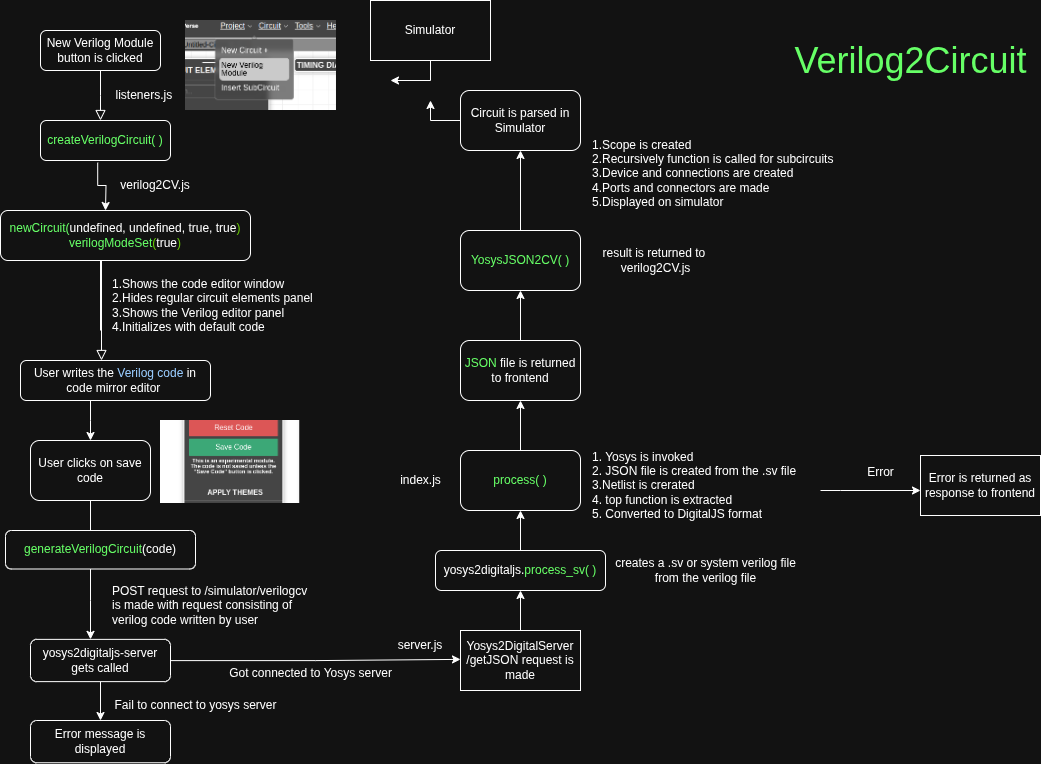
The Yosys repo is now updated, folder structure updated & consistent with its parent and migrated to ts. In the future any changes to its parent can be easily merged with much conflicts between the two.
Revamping the Verilog code editor and Verilog Terminal
CircuitVerse provides its users the feature of Verilog code editor. Which can be used by the users to write verilog code and then convert them into circuits and further integrate them into their circuits on the simulator.
The goal of the Code Editor is to:
The Code Editor enables users to write and edit Verilog code directly inside CircuitVerse. The users can write and edit their verilog code inside the code editor. Once the code is written, it can be sent to backend powered by Yosys, an open-source synthesis tool. The Yosys backend processes the code, parses the output, and automatically generates a visual circuit based on the Verilog description. This ciruit then turns into a black box circuit that can be simulated in the circuitverse simulator and also connected with other circuit elements.
The Code Editor is built using CodeMirror - a powerful and customizable browser-based code editor.
The code Editor has the following features currently:
- Syntax highlighting for Verilog
- Smart indentation
- Line numbering
- Theme customization (Solarized, Monokai, Blackboard, and more)
- Reset editor button
But the UI/UX of the code editor is not particularly encouraging for the users, also there are lots of features that can be added to it to make it better.
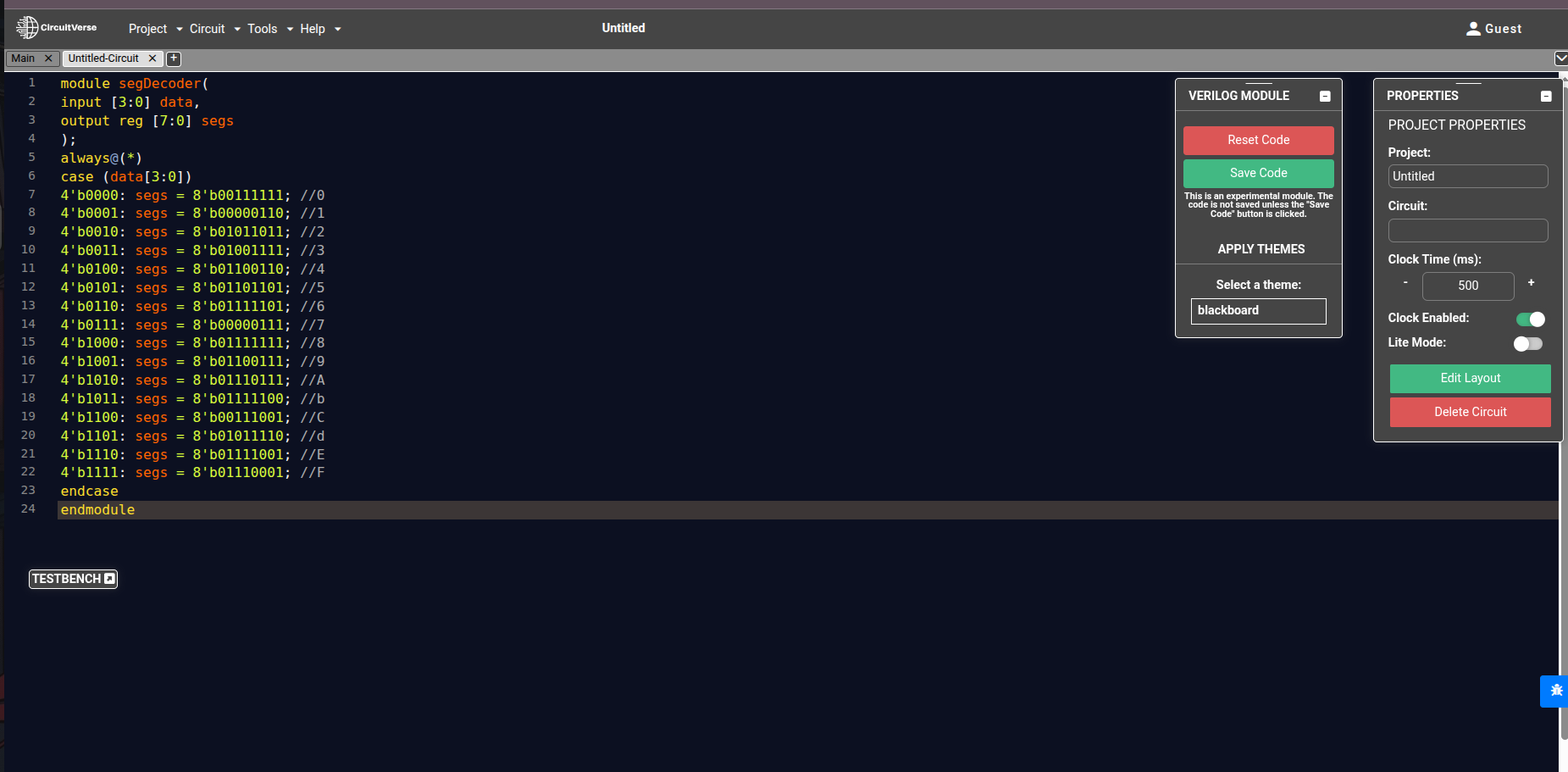
I have implemented the following things, which were proposed:
- Improved indentation between code and line numbering, between numbering and the edge
- CTRL + S shortcut for the save button
- Option to increase the font size
- Displaying error message properly, maybe a whole terminal experience to display the error message
- Dark default theme in Vue-Simulator
- Code completion
- Code folding and bracket matching
Verilog Terminal
After the initial changes of font, line-spacing, padding, and auto-bracket matching were implemented to the verilog code editor, there was a need to further improve the verilog code editor and align it with traditional code editors. To do this Verilog code editor terminal was introduced.
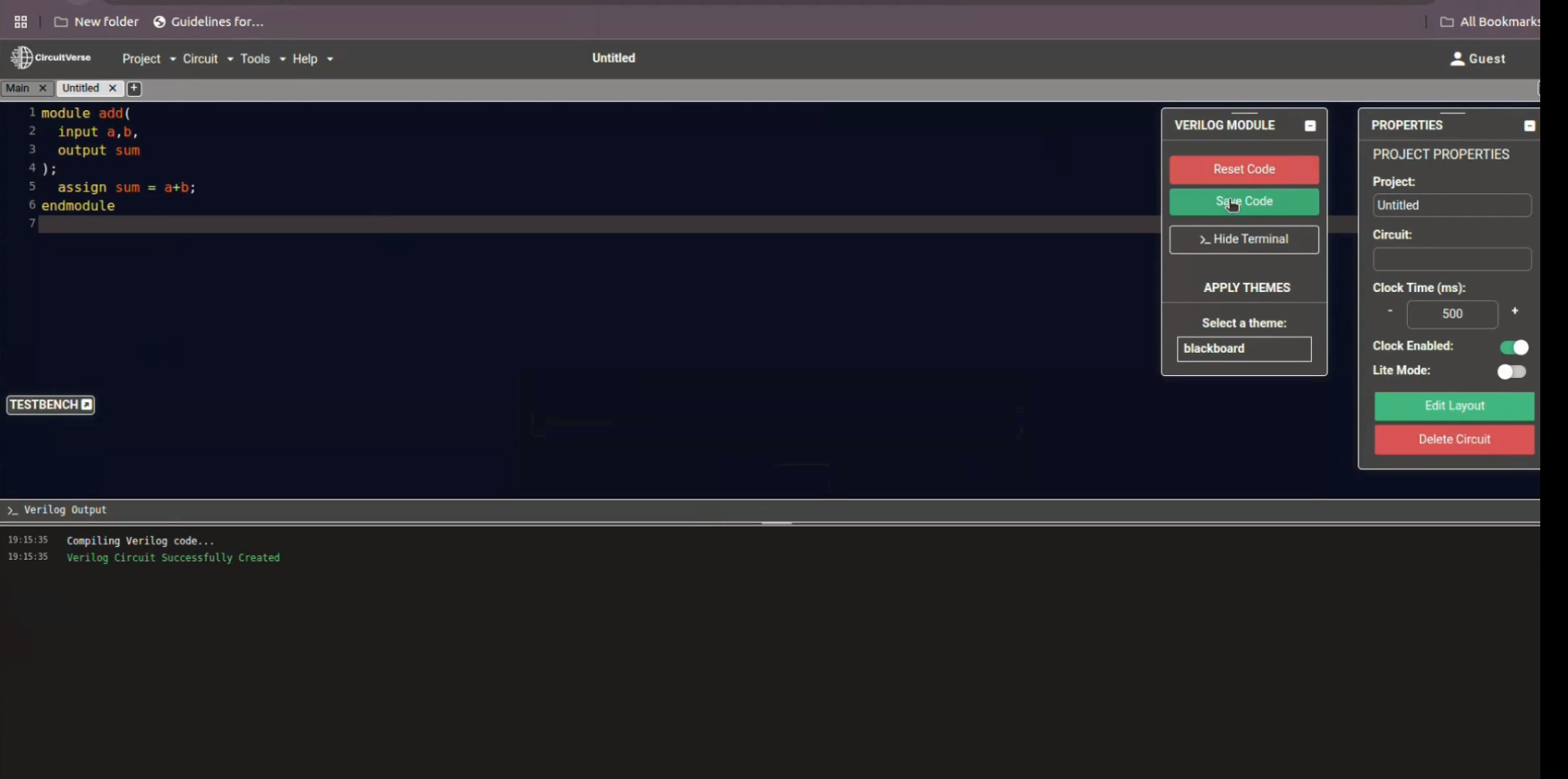
The Verilog Terminal provides a console-like view for synthesis/log outputs and errors, reducing context switching. It complements the play/pause control so users can pause simulation, inspect messages, and iterate efficiently.
The verilog terminal logs the process status, success messages, and error logs. It also displays the synatx and other error messages sent from the YOSYS server and displays it to the users, so that they can debug their Verilog Code easily. Further Enhancements can also be added to it, which can include terminal taking commands to save, reset and close the verilog editor and further enhancements.
Play/Pause Button to the Simulator
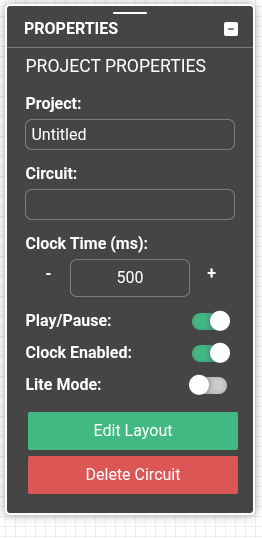
The play/pause button halts the simulation engine, clocks, and UI updates. Users can pause to build/debug circuits and conserve browser resources, then resume when ready. This reduces confusion and supports workflows like debugging, testbenches, and timing diagrams.
Resizable & draggable view of tools window
The tools section of the Simulator contains various tools, each having thier own window. In the vue-simulator the windows of the tools are neither resizable and nor draggale which causes a lot fo trouble for the users, as they can neither change the size or drag it somewhere. These tools windows were made resizable and draggable allowing the users to do the both.
Verilog feature documentation
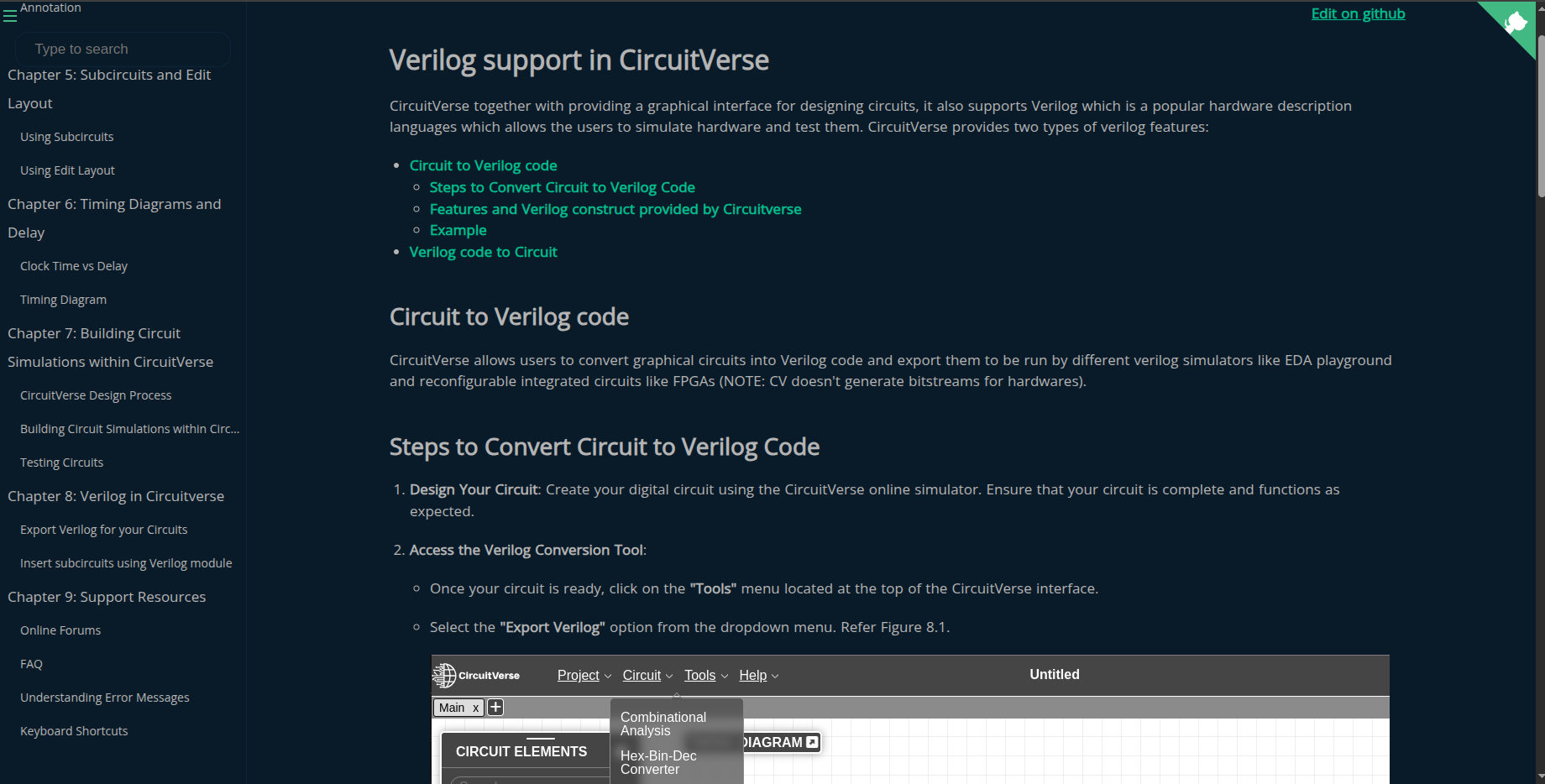
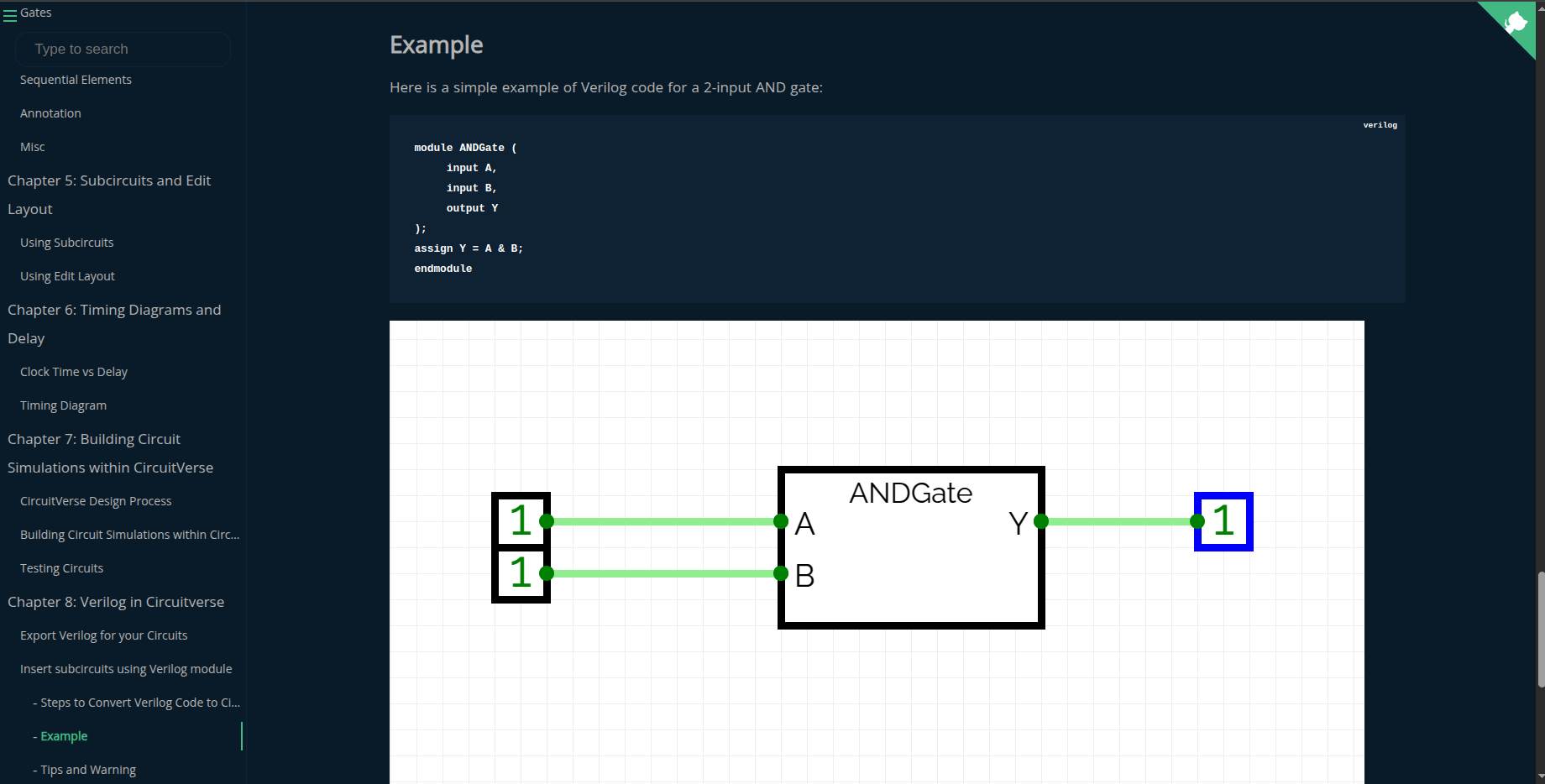
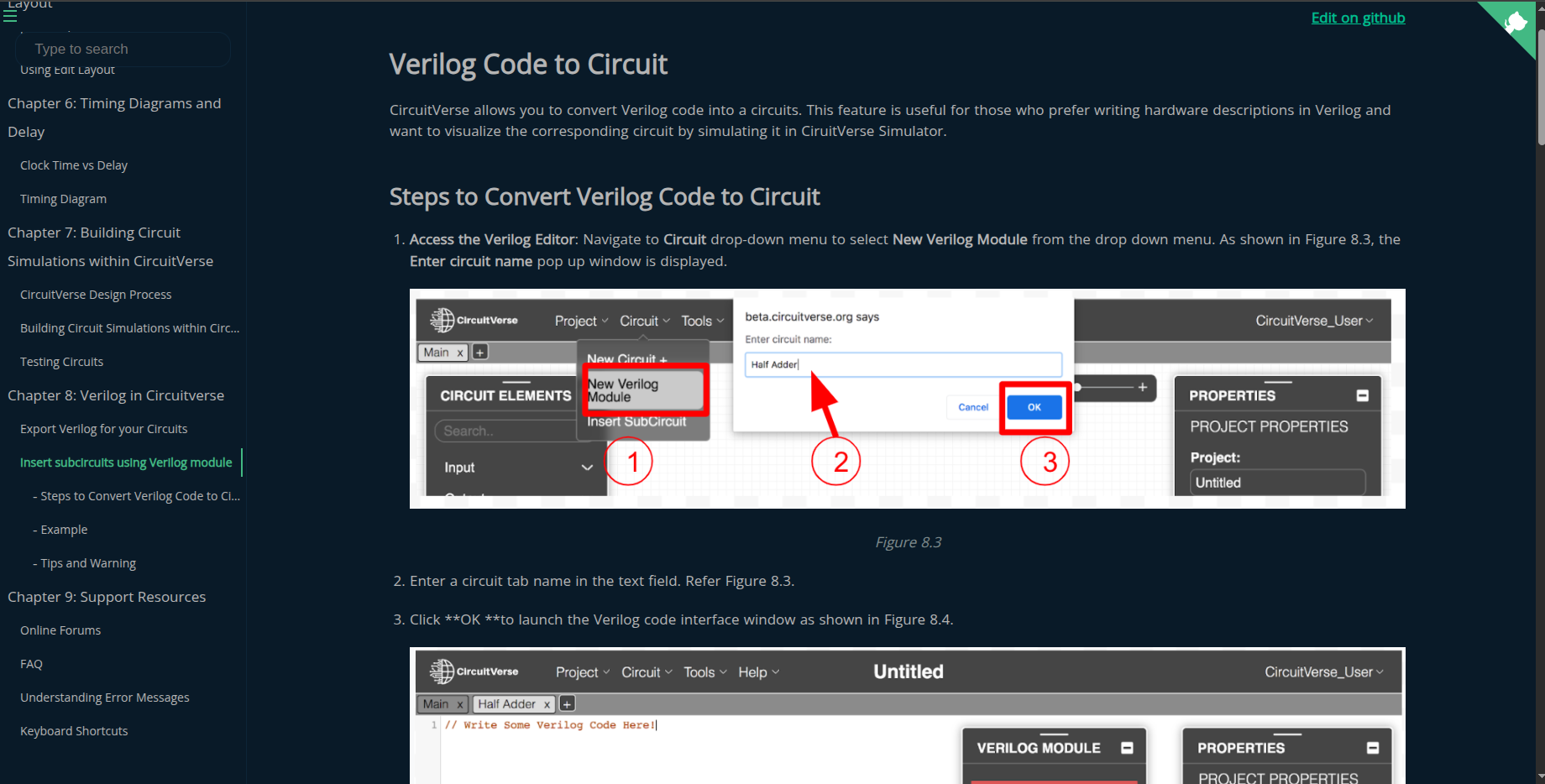
As part of this project, I documented the Verilog feature in detail with examples for CircuitVerse users.
I also created developer-focused docs to make it easy to set up the Verilog feature locally and extend it further.
Documenting the Verilog features:
Pull Requests
- PR : JK Flip Flop
- PR : SR Flip Flop
- PR : ALU
- PR : D-Latch
- PR : Force Gate
- PR : LSB
- PR : TestBench Element
- PR : DFF fix
- PR : TFF fix
- PR : Adder fix
- PR : Verilog Code editor
- PR : Verilog Code editor
- PR : Pr doc1
- PR : Pr doc2
- PR : Pr doc3
- PR : Yosys upgrade
- PR : CI fix
Learning
This project taught me a lot about VueJs and how the simulation engine works behind the scenes. I got hands-on with Verilog, writing modules and testbenches, and really improved my digital design skills. Working with Yosys and its move to TypeScript was a great way to learn about backend integration and modern codebases.
I also picked up better object-oriented coding habits and got much faster at debugging tricky issues. Setting up Docker and container networking was new for me, but now I feel confident managing development environments. Overall, I became a more versatile coder and learned a ton from collaborating with the CircuitVerse community.
Conclusion
My journey so far has been exciting and amazing. Each week I stumble upon things I don’t know, and I learn it, exeriment with it and then implement it. It has truly been a developers dream till now. My mentors and CircuitVerse community have been very helpful and inspirational in my little journey. Looking forward to contribute and learn more.
I would like to thank, Aboobacker MK, Vedant Jain, Niladri Adhikary, Josh Varga, Aman Asrani, and other mentors and circuitverse contributors for helping and mentoring me throught the journey.